OnBoard

OnBoard
Say goodbye to endless group texts and hello to a more interactive travel planning experience with OnBoard!
what is onboard?
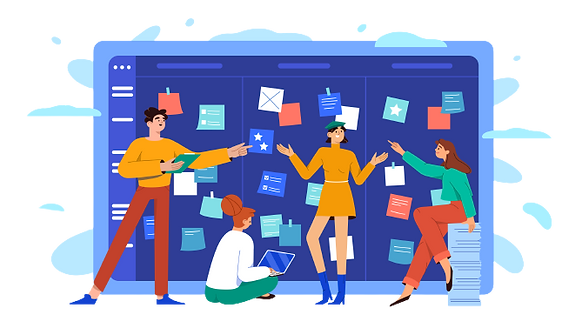
OnBoard is a social travel planning app that allows traveling groups to post pictures, questions, videos, yelp links, and more related to their next trip onto a moodboard to help them brainstorm and interact with each other to plan for their trip!
Our mission
To create an app that helps visualize travel planning in a more effective and interactive way!
Social SETTING
OnBoard is curated towards groups of friends/family/colleagues planning to travel together and seek a more effective & interactive method to plan their trips. OnBoard may interest frequent travelers, adventure seekers, and people that want to travel to new places and explore different cultures.
What does the social scene look like?
-
asynchronous brainstorming
-
sharing ideas, feedback, and recommendations
-
visually oriented & collaborative social setting
It’s challenging to effectively make travel plans through group chats because:
-
Lack of structure: Group chats can be chaotic and confusing -> Difficult to keep track of different conversations and information all happening at once
-
Decision-making: With multiple people involved -> Challenging to keep track of conflicting opinions and preferences
-
Limited context: Group chats are usually limited to texting -> No visual images to convey thoughts/ideas


CURRENT PROBLEMS
OPPORTUNITIES
What OnBoard offers:
-
A more organized layout for groups to visually keep track of information about their trip.
-
Collaborative space for users to share ideas and build off one another.
-
Interactive features to gauge general opinion and feedback from everyone -> easier for decision-making
.png)
Brainstorming


When we were first deciding on what topic we wanted to focus on, we began by branching off of broader categories like food, style, mental health, lifestyle, and traveling making sure to ideate as much as we could. We eventually decided on travel, specifically travel-planning and itinerary-making since we saw opportunities there for social computing. We decided on this idea using a voting system. From there we were able to expand more on the travel-planning concept and do more research on the need for our particular idea.


PRocess
Throughout the project, after each survey and each prototyping session, our team thoroughly considered the information collected. Our Zoom meetings consistently included discussions of TA/Professor feedback as well as an in-depth analysis of the results of any user surveys. In a meeting minutes document as well as a Google Sheets, we were able to keep track of the positive and negative feedback that was most prevalent and interesting to our idea, then implement it during our ideation sessions.
Based on the feedback on our first prototyping session, we decided to pivot our app idea. We wanted to create a solution that would streamline the planning process and make it more enjoyable while facilitating social interactions. After careful consideration, we decided to shift from a social planning app that helps create an itinerary to an app that visualizes travel planning in an interactive way. We believe this will better address the pain points we experienced in our previous prototype.
Prototyping Session 2

Final prototype
Using Figma, we were able to bring our ideas to life by creating an application. This demonstrates how our app would look like and how users would interact with OnBoard.
We incorporated the gamification aspect to this app by adding "mood points". Users would be able to earn points by contributing to the mood-board and observe if their post gets a high rating within the group. Everyone's points would be able to be seen on the leaderboard. Furthermore, our commenting feature creates more social interaction between the users. Instead of creating a like/dislike button, we implemented a heart reaction to keep a positive environment within the app. Lastly, we kept the app organized by creating a "collections" page which accumulates posts that are in the same category.
Reflection
After conducting our first prototype and receiving feedback from the survey we sent out, we quickly realized that we needed to pivot our social app idea to create something that constructs more social interaction between users. The biggest issue we faced on first prototype session was the lack of interaction within the app. We knew that we wanted to keep the traveling aspect of our application but we had to create a new idea that would allow users to interact with one another in a more communal way.
Through our second round of brainstorming and iterating, we understood that in order to create a better social interactive application among the users, we needed to add features that would aid in that aspect. Our idea of creating a mood-board in which friends can collectively plan together through visual images, videos, etc. derived from us wanting to make itinerary planning more enjoyable and interactive! The interactive aspect is that we made commenting, reacting, and uploading posts more accessible to the users. We were able to successfully create this through piggyback prototyping. From the trials and errors that we observed from our prototype session 1, we learned our mistakes and created a better way to bring our idea to life for our prototype session 2.
If we were to have more time with this project, we would test our final prototype on participants who would be willing to use our app. This would help us further our ideas and fix any underlying issues that we might have missed in both our prototype session 1 and 2. Furthermore, we would be able to see how the feedback from our in class prototyping sessions helped us created our final product and possibly how effective it is as an application. Despite the many issues that we ran into during this project, we were able to work together as a team to create a final prototype and put everything onto this portfolio. Overall, it was a great learning experience and we enjoyed seeing the process of our project come to life!